How to Read VDI and Target ID Without Guessing
A target ID number can be useful, but it is not a tiny underground inventory label. Here’s how I learned to read VDI without letting one promising number make every decision for me.
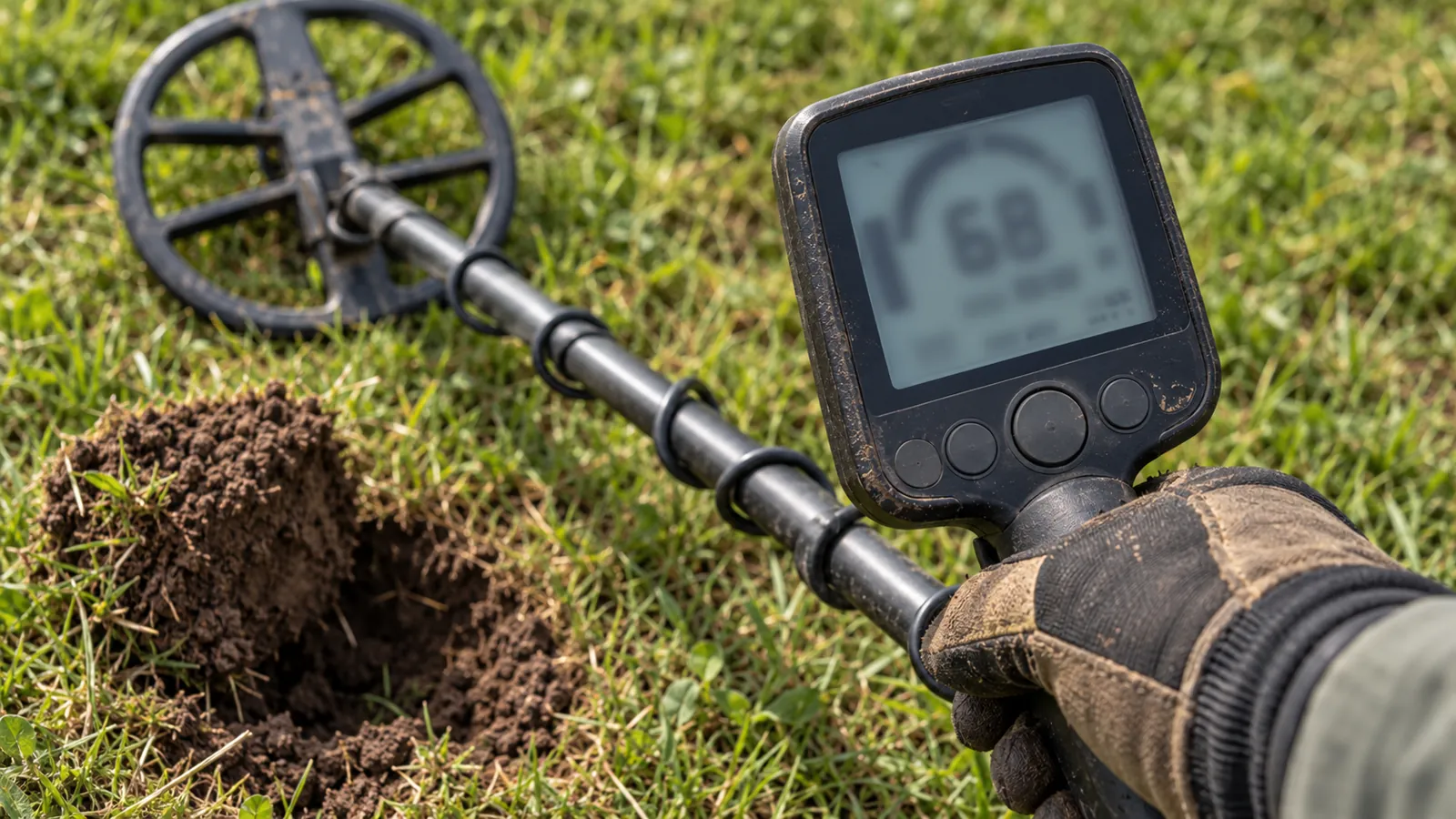
The first detector I used had a screen with target numbers, and I treated each one as a promise. A number in a familiar coin range meant coin, I thought. Then I dug a bottle cap with the confidence of a man who had apparently just discovered a new denomination. The machine had not lied; I had asked too much of a number.
If you are learning how to read metal detector VDI, start with this: VDI and target ID are clues. They are not a precise identification of an object still in the ground. The machine measures a response and maps it to a number or category. Different objects can produce similar responses, and the same object can read differently depending on depth, angle, soil, and nearby metal.
What the number is trying to tell you
VDI is commonly used to describe a detector’s visual target identification scale. Depending on the manufacturer, you may see a number, a segment, or a category on the display. People often use “VDI numbers” and “target ID” interchangeably, though the scale and behavior vary from detector to detector.
A target ID is based on how the detector interprets the signal returned by metal in the ground. Conductivity and other properties influence that response. In practice, the display gives you a useful shorthand for comparing signals. It does not know whether the target is a coin, a pull tab, a button, or two pieces of metal close together.
This is why VDI numbers explained in a forum post may not match your machine. The scale can differ by brand and model, and soil conditions affect the result. Keep the manual nearby and learn the scale on your own detector instead of memorizing someone else’s chart as if it were universal.
Why one target can show different numbers
Depth is one reason a reading may be unstable. A weak or deep target often gives the machine less information to work with. If the display jumps around or disappears when you raise the coil slightly, that may be a clue that the signal is faint, though it does not identify the object.
Target orientation matters, too. A flat coin lying parallel to the coil can give a different response from the same coin on edge. Mineralized soil, wet sand, and nearby iron can complicate the signal. So can multiple targets close together: a coin beside a nail may sound messy because the detector is responding to both.
Different kinds of metal can overlap in their readings. A small piece of foil, a ring, and other objects may land in nearby ranges. Some bottle caps can imitate coin-like responses. I used to think a bouncing number meant my detector was malfunctioning. Often it was simply seeing an awkward target or a bit of clutter.
Listen before you stare at the screen
When I hunt now, I pay attention to the audio first. Is the signal repeatable as I sweep over it from different directions? Does it sound smooth, broken, sharp, or faint? These descriptions are subjective and vary between detectors, but they help you build a picture alongside the display.
Try a controlled sweep. Keep the coil level and move it slowly across the target from one side, then turn roughly a quarter turn and repeat. A signal that remains fairly consistent from more than one direction is often worth investigating. A sharp signal that disappears at an odd angle may still be interesting; it just gives you a reason to check carefully.
Pay attention to how much ground the response seems to cover. A broad, smeared signal can suggest a large or shallow object, or several targets together, but it is not conclusive. A compact response may be easier to pinpoint. Practice with known objects in a clean patch so you can hear how your detector behaves without guessing what is buried.
Use target ID as part of a decision
Metal detector signals for beginners can seem like a code to crack. In reality, you are gathering clues: the audio, the number, how repeatable the response is, and what sort of site you are searching. If you are at a beach where people have recently been, modern coins and small jewelry may be plausible. In an old field, the likely mix can be different. Context helps you decide whether to investigate, but it does not prove what the target is.
Make a simple note of your readings and recovered objects. You do not need a spreadsheet worthy of a laboratory. A pocket notebook with the detector model, approximate reading, audio impression, and what you found is enough. After several outings, your own notes become more useful than a generic online chart.
If you are trying to avoid trash, adjust discrimination cautiously. A detector may let you reject certain ranges, but an object you want can share a reading with something you would rather leave. I once filtered out a range because it was producing too many pull tabs, then learned that some small items I wanted to recover lived there too. I lowered the setting and accepted that sorting signals is part of the pastime.
Pinpointing and digging with care
When a signal interests you, use the detector’s pinpoint feature if it has one, or make short, overlapping sweeps to locate the strongest response. Pinpointing narrows your search area; it does not tell you how deep the object is with perfect accuracy. Start with a small plug or careful cut appropriate to the site and your local rules.
Move the soil aside neatly and rescan the hole and the plug. The target may be in the spoil rather than the bottom of the hole. Take care not to slice a coin or other find with your tool. Once recovered, check the hole again before closing it and return the soil and turf properly.
Record the reading after recovery if you want to learn. An object in your hand can produce a different number from the same object in the ground, because the detector is no longer dealing with soil, depth, and nearby material. The comparison is still useful as practice, as long as you remember the conditions changed.
Let uncertainty remain part of the fun
Even an experienced detectorist gets signals wrong. The screen may show a stable number and still produce a piece of junk, or a noisy response may turn out to be something worth keeping. If every reading were certain, the hobby would be less like exploring and more like following a shopping list.
For a low-pressure way to practice matching signals with VDI readings across different locations, MetalHunter includes detector readings and a range of finds in a mobile treasure hunting simulator. It is not a guide to the behavior of real machines, whose scales vary, but it can make the basic signal-and-decision loop familiar.
FAQ
What does VDI mean on a metal detector?
VDI is a term often used for the visual target identification reading shown by a detector. It may appear as a number or category, and the scale depends on the model.
Can target ID tell me exactly what is underground?
No. It estimates a response that can be shared by different objects. Depth, orientation, soil minerals, and nearby targets can all affect the reading.
Why does my metal detector target ID keep jumping?
A weak or deep target, mineralized ground, irregular target shape, or several nearby objects may cause a changing display. Check the signal from different directions and compare audio as well as numbers.
Should I ignore signals with a low or unstable number?
Not automatically. Learn what your machine does in the places you search, and use the reading as one clue among several. Local rules and the condition of the site should guide whether you dig.